
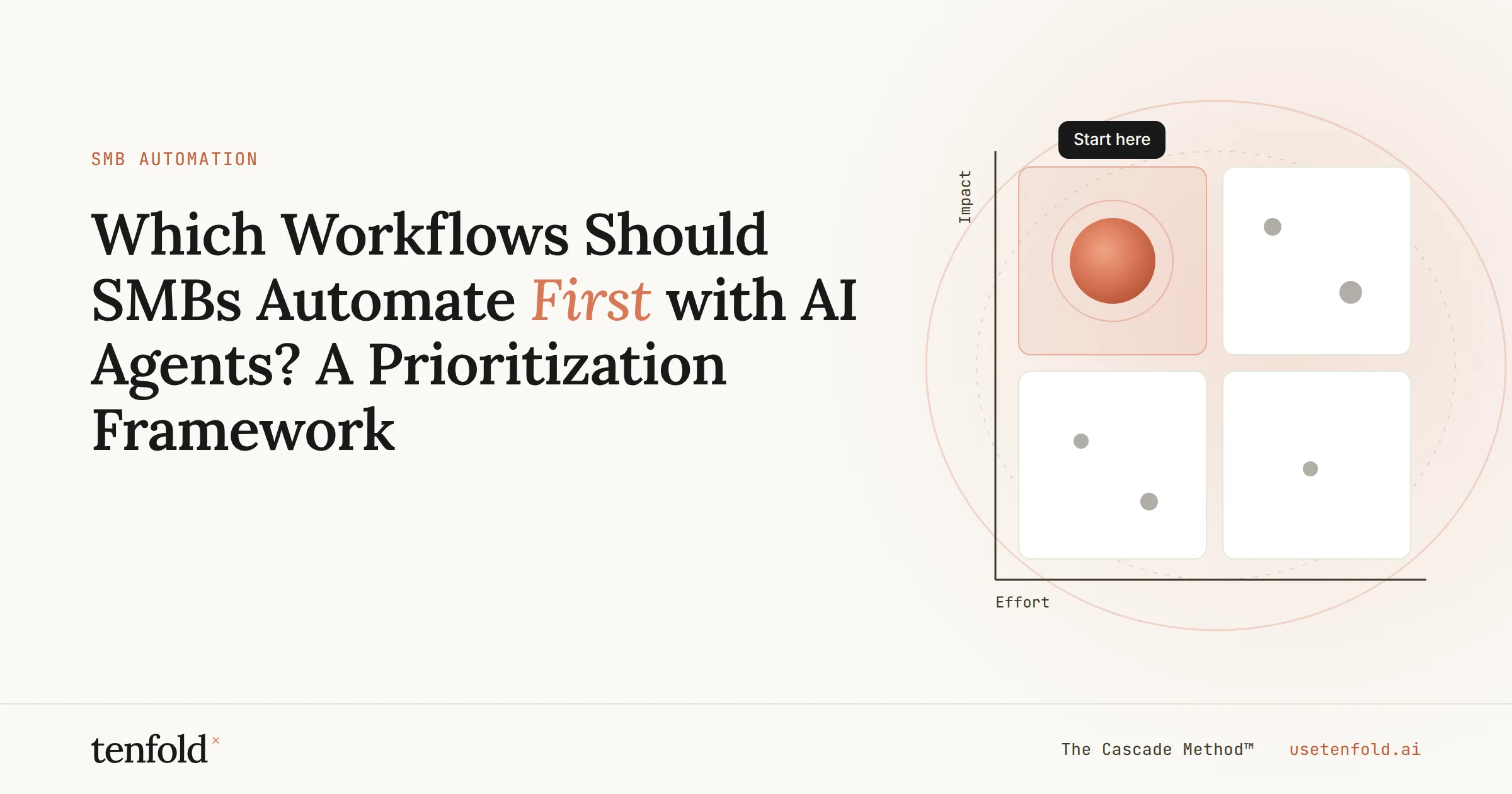
Which Workflows Should SMBs Automate First with AI Agents? A Prioritization Framework
The question every operations leader at a small or mid-sized business eventually asks isn't "Can AI agents help us?" — it's "Where do we start?" The answer matters more than the tools. Automate the wrong workflow first, and you waste budget and goodwill. Automate the right one, and you create visible proof that changes how your entire team thinks about AI.
Quick Answer: SMBs should automate workflows that are high-volume, rule-based, clearly measurable, and low-risk to reverse first. Customer support triage, lead qualification, document processing, and internal reporting are the four categories that consistently deliver the fastest ROI with the least implementation complexity.
Key Takeaways:
The most common SMB mistake isn't picking the wrong tool — it's automating the wrong process.
The best first automation candidate is frequent, structured, measurable, and safe to reverse.
AI agents deliver the highest early ROI when they draft for human approval before acting autonomously.
A single well-scoped agent workflow can save a small team 5–15 hours per week.
Sequence matters: start low-risk, prove the model, then expand.
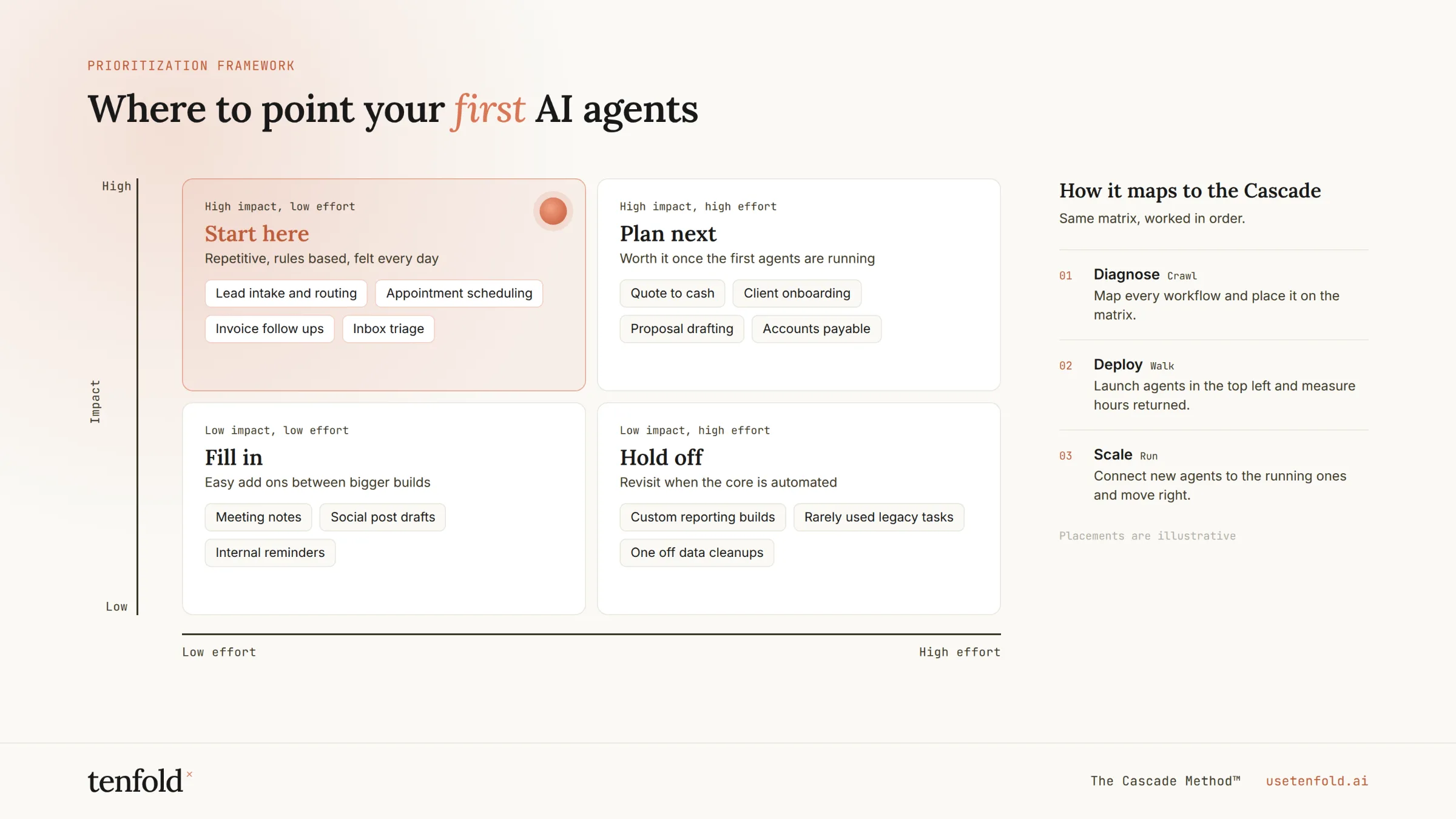
At Tenfold, we are AI agent specialists built to operationalize the agent-first delivery model. The framework below is the same one we apply when helping operations leaders make this decision — without guesswork and without wasted sprints.
Why Most SMBs Stall at the Starting Line
The adoption data is clear: AI automation is no longer optional for businesses that want to compete. According to McKinsey's 2025 State of AI report, 66% of organizations have now adopted automation in at least one business function, up from 57% the prior year. Thryv's 2025 Small Business AI Survey found that 55% of small businesses now use AI automation — up 41% from the previous year.
But adoption and impact are different things. The McKinsey data also reveals something more sobering: only 21% of organizations using generative AI have redesigned at least some of their workflows. The remaining 79% are layering AI on top of existing processes without rethinking how work actually flows — and then wondering why the returns are marginal.
The bottleneck isn't AI capability. It's that most SMBs aren't yet set up to delegate to it properly.
The fix isn't a better tool. It's a better question: *which workflow deserves to go first?*
The Four-Filter Framework: How to Score Any Workflow
A good first automation candidate passes four filters. Score each workflow you're considering against all four before committing resources.
Filter 1 — Frequency and Volume
High-frequency processes justify automation investment faster. A workflow that runs 200 times a month at 15 minutes per instance represents 50 hours of recoverable capacity. A workflow that runs twice a month doesn't — at least not yet.
What to ask: How many times does this process run per week? Could it scale further if manual capacity weren't the constraint?
Filter 2 — Structural Clarity
AI agents perform best on processes with recognizable patterns and defined outputs. If you cannot describe the workflow as a series of logical steps — even imperfectly — the agent cannot execute it reliably. According to established RPA research, automation is strongest for high-volume routine work and simple predictable processes, which remains the right starting point even when the system includes modern LLMs and AI agents.
What to ask: Could you write this process as an IF/THEN statement in under five minutes? Is the expected output consistent and verifiable?
Filter 3 — Data Readiness
AI agents need access to clean, structured source data. A great process candidate becomes a poor one if the underlying data lives in a spreadsheet on someone's desktop, is inconsistently formatted, or requires manual lookup from three disconnected systems.
What to ask: Does the data this workflow needs already exist in a system the agent can access? Is it reasonably clean and consistently structured?
Filter 4 — Failure Consequence
The first automation should be safe to reverse. This doesn't mean low-stakes — it means the failure mode is recoverable. A miscategorized support ticket is recoverable. An incorrectly executed financial transfer may not be.
What to ask: If this agent makes a mistake in the first 30 days, what is the worst-case outcome? Is it detectable before it causes downstream damage?
The Tier System: Sequencing Your Automation Roadmap
Once you've filtered your workflow candidates, sequence them across three tiers. Don't try to build all three simultaneously.
Tier 1 — Rule-Based Triggers (Deploy First)
These are processes where every input maps to a predictable output with no judgment required. Invoice due-date reminders, new-user onboarding sequences, status-change notifications, appointment confirmations. If you can write the logic as a simple conditional in minutes, it belongs here.
Tier 1 workflows have near-zero implementation risk and produce immediate, visible time savings. They are also the fastest way to build internal confidence in AI agents — which matters more than most leaders expect.
Tier 2 — Decision Agents (Deploy After Proof)
These handle processes with conditional branches, multiple data sources, or outputs that vary by context. Lead scoring, support ticket routing, contract classification, project task assignment. They require more configuration and human-in-the-loop oversight during the first weeks of operation.
The key principle at Tier 2: AI agents should draft for human approval before acting externally. Start supervised. Earn full autonomy through demonstrated accuracy.
Tier 3 — Autonomous Multi-Step Agents (Deploy After Tier 2 Is Stable)
These orchestrate sequences across systems — handling an inbound inquiry from first contact through CRM logging, qualification, follow-up scheduling, and internal handoff without human touchpoints. They deliver the highest ROI but require stable Tier 1 and Tier 2 infrastructure beneath them.
The Four Highest-Impact Starting Points for SMBs
Across our work implementing AI agents for operations teams, four workflow categories consistently score highest on all four filters and belong in every SMB's Tier 1 or early Tier 2 roadmap.
1. Customer Support Triage
Customer support triage is frequently the best first workflow because every inbound ticket requires the same first decisions: intent, urgency, account context, likely resolution path, and escalation criteria. An AI agent can classify the ticket, retrieve relevant account data, attach policy context, draft a response, and route exceptions to a human — in seconds.
The business case is direct. According to Gartner's customer service research, AI-enabled self-service cuts support incidents by 40–50%, with cost-to-serve reductions of more than 20%. Businesses using AI support systems report saving $150,000 annually while cutting response times from hours to seconds.
Start with a supervised version: the agent drafts or tags, and a human approves until quality is proven. Full autonomy follows naturally.
2. Lead Qualification and Follow-Up
Inbound lead response is one of the highest-leverage automation opportunities available to SMBs — and one of the most commonly neglected. Automated follow-up responds to inbound inquiries in 2–5 minutes versus the 2–24 hour manual average. That gap is a documented conversion rate driver.
An AI agent can research the prospect, review CRM history, score the lead against qualification criteria, draft a personalized follow-up, and route to the right sales rep — without touching anyone's calendar. The human handles negotiation, pricing, and final proposal logic. Everything upstream runs automatically.
According to IBM's Global AI Adoption Index, 22% of enterprises actively deploying AI are using it for marketing and sales automation — making it one of the most validated categories for early deployment.
3. Document Processing and Data Entry
Data entry is where AI agents deliver the highest accuracy improvement alongside time recovery. Invoices, onboarding forms, contracts, intake questionnaires — any document-heavy workflow is a strong candidate.
Industry benchmarks show AI document automation cuts handling time by 30–50% and reduces errors by up to 95%. For a firm processing 100 invoices weekly, that translates to 8 hours of recovered capacity per month — roughly $9,600 annually at a standard fully-loaded hourly rate.
One 8-person accounting firm automated their client onboarding workflow in three weeks at a $1,200 implementation cost. The automation saves approximately 12 staff hours per week — equivalent to $28,800 per year in labor value.
4. Reporting and Internal Intelligence
Weekly status reports, pipeline summaries, performance dashboards — these are high-volume, structured, and almost entirely automatable. An AI agent can pull from your project management tool, CRM, and analytics platform, synthesize the data, and deliver a formatted report to Slack or email on a schedule.
This category is particularly valuable as a starting point because it is read-only and zero-risk. The agent produces output for human review — it does not act. That low-risk profile makes reporting automation one of the fastest ways to demonstrate AI agent value to skeptical stakeholders.
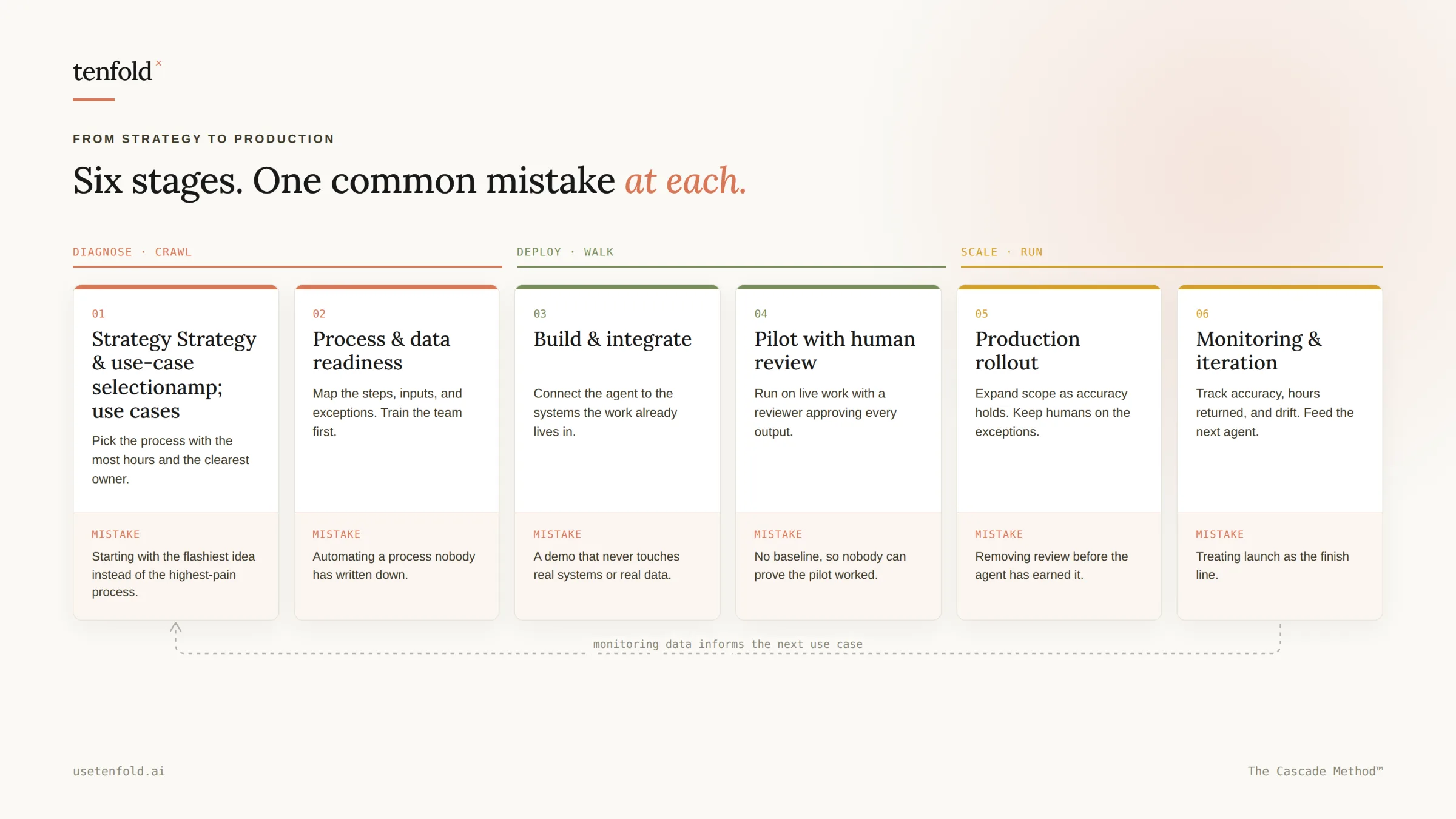
The Metric That Tells You Whether It Worked
Most SMBs measure automation success the wrong way. They track hours saved in isolation — and then struggle to justify continued investment when headcount doesn't visibly shrink.
The better frame is capacity recovered and redeployed. When your sales team spends less time on data entry, they make more customer calls. When your ops team stops compiling reports manually, they focus on process improvement. This is not efficiency — it's a reallocation of strategic capacity toward higher-value work.
McKinsey's 2025 State of AI survey found that organizations most often report employees are spending time saved via automation on entirely new activities — not on the same tasks faster. That shift is where the compounding value lives.
Set your baseline before you deploy. Track hours saved weekly, error rate changes, and the specific activity that replaces the automated task. Review monthly. Layer3's client data shows most SMBs see 20–30% efficiency gains from tweaks alone in the first 90 days.
Summary
The question for SMBs isn't whether to automate — the data has settled that. It's which workflow earns the first deployment slot, and in what sequence the roadmap unfolds. The four-filter framework — frequency, structural clarity, data readiness, and failure consequence — removes the guesswork. Customer support triage, lead qualification, document processing, and internal reporting are where the evidence consistently points first. At Tenfold, we help operations leaders move from framework to deployed agent workflow without months of internal debate — because the businesses that sequence this well are the ones that compound the advantage.
Frequently Asked Questions
Q: How do we know if a workflow is actually ready for AI agent automation?
A: Apply the four filters: Is it high-frequency? Can you describe it as a logical sequence of steps? Does the required data already live in accessible systems? Is the failure mode recoverable? A workflow that passes all four is ready. One that fails data readiness or structural clarity needs process cleanup first — not an AI agent.
Q: What is the fastest way to see ROI from AI agents as a small business?
A: Start with reporting or competitive intelligence — read-only, zero-risk workflows that produce visible output within the first week. They build internal confidence and stakeholder buy-in faster than more complex automations, even if the pure hour-savings are smaller. Once the team trusts the agent, you have permission to deploy into higher-stakes workflows.
Q: Should we automate customer-facing workflows or internal ones first?
A: Internal first, as a general rule. Internal automations — reporting, data entry, triage — have recoverable failure modes and allow your team to build judgment about AI agent quality before the agent is communicating with customers. Move to customer-facing automation once you have established quality benchmarks from internal deployments.
Q: How long does it take to deploy a first AI agent workflow?
A: A well-scoped Tier 1 workflow can be deployed in two to four weeks. Tier 2 decision agents with CRM integration typically take four to eight weeks. The timeline is usually determined by data readiness and internal approval cycles — not technical complexity. Clean data and a clear process owner compress the timeline significantly.
Q: How is an AI agent different from standard workflow automation like Zapier?
A: Standard workflow automation executes fixed, predetermined rules. AI agents handle variability — they can read unstructured inputs, make contextual decisions, and adapt their output based on what they encounter. A Zapier workflow triggers when a form is submitted. An AI agent reads the submission, assesses its content, decides how to respond, and routes accordingly — without predefined branching logic for every scenario.
